
Google Meet attendance tracker for universities & colleges
Managing lecture attendance for 100+ university students across multiple course sections and semesters is a massive administrative headache. Here is how higher education professors and academic departments automate class attendance in Google Meet.
Challenges of Taking Attendance in Higher Education
- Massive Lecture Sizes: When 150 students join an online lecture, taking manual roll call is physically impossible.
- Proxy Sign-Ins & Drop-offs: Students frequently sign in, turn off their camera, and leave after 5 minutes. Professors need to see exact minutes stayed.
- Academic Accreditation & Financial Aid Audits: Universities must maintain verified student attendance records to comply with accreditation boards and federal student aid requirements.
How University Faculty Use Attendance Tracker
1. Zero-Friction in Large Lectures
The add-on operates directly within the Google Meet side panel. It effortlessly processes high-concurrency lectures with 50 to 250+ students, recording exact join timestamps, leave timestamps, and total minutes present.
2. Teaching Assistant (TA) Delegation
Unlike Google's built-in tool (which only sends reports to the original meeting creator), Attendance Tracker works for any attendee. TAs and co-instructors can run the add-on from their own accounts and export reports to their personal Google Drive while the lead professor conducts the lecture.
3. Multi-Session Semester Course Roll-Ups
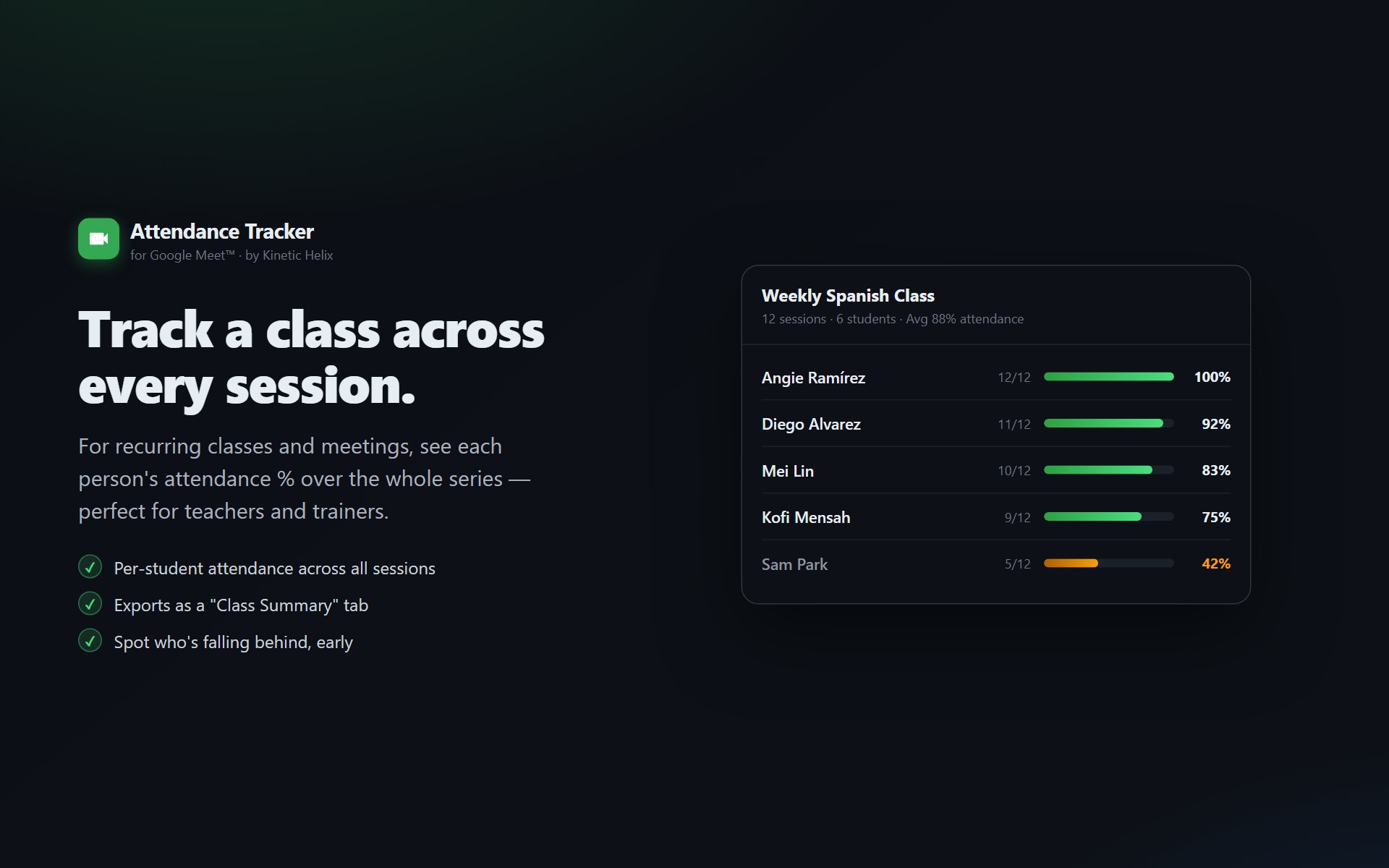
University courses meet 2–3 times per week for 16 weeks. Attendance Tracker groups all lectures by course ID and generates a cumulative Class Summary tab showing:
- Each student's cumulative attendance percentage across the entire semester
- Total lecture hours logged per student
- Early warning flags for students at risk of failing attendance minimums
4. Department & Campus Deployment
University IT administrators can deploy Attendance Tracker domain-wide across all faculty accounts in 30 seconds via the Google Workspace Admin Console, or professors can install it individually with zero administrative approvals required.
Automate your university lecture attendance
Free for professors, works on all institutional Google Workspace domains.
Install Attendance Tracker from Marketplace